
The Engineering You Must Know
AI, Study ·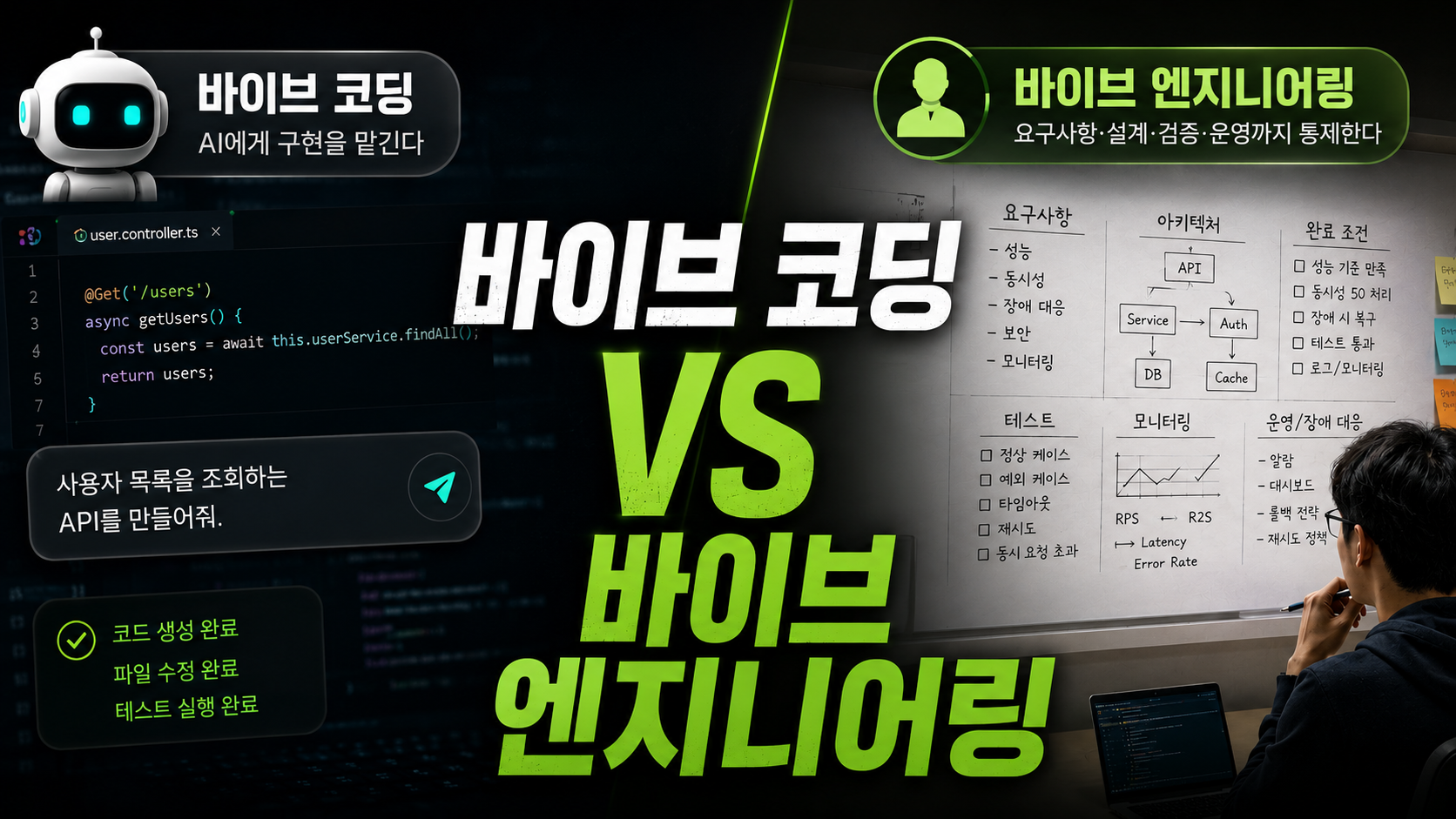
This post was written after reading Vibe Engineering, a book provided by Gilbut Publishing.

At the end of my previous post, Are You Really Using AI Coding Tools Properly?, I said this:
Leave the development to AI, and leave the engineering to humans.
Not long after, I ended up reading a book literally titled Vibe Engineering.
So rather than summarizing the book chapter by chapter, I want to talk about how the book sharpened the thoughts I had before. Along the way, I’ll also share the methods I’ve actually settled on while using AI coding tools.
Vibe Coding Has Become All Too Familiar
These days, it’s hard to find a developer who doesn’t use AI at all.
At first, we asked questions in the browser and copied code back. Now AI reads the codebase directly, edits files, and even runs the tests.
Our requests have gotten shorter and shorter.
Build an API that lists users.
Implement JWT-based login.
Find the cause of this error and fix it.
That’s about all it takes for AI to produce something quite convincing. In terms of development speed alone, it’s so convenient that it’s hard to imagine going back.
The problem is that code that seems to work is not the same as code you can ship to production.
- What happens when users flood in at the same time?
- If an external API stops responding, do requests keep piling up?
- Is there any chance of data being saved twice?
- Beyond a normal login, does it handle token theft and reuse?
- Can another developer modify the structure you just built?
These problems don’t show a red squiggly line like a compile error. They hide behind code that appears to work, and surface late in production.
If vibe coding is “making a feature work,” then vibe engineering is closer to “bringing requirements, edge cases, tests, and operations under control.”
Here is how I define engineering:
Engineering is turning an uncertain problem into a reproducible, maintainable solution within given constraints.
So how should we do engineering in an era where AI writes the code?
Specify the Definition of Done, Not the Feature
The first part of the book that resonated with me was about non-functional requirements.
If you only ask AI for a feature, it focuses on completing the feature. Whether it must respond within 3 seconds, how many requests it must handle concurrently, how it should recover from failures — unless we tell it, AI either guesses or skips them.
Take this request, for example:
Build a conversation summary API using the OpenAI API.
It will build the feature just fine. But to use it in a real service, you need at least the following conditions:
Implement a conversation summary API using the OpenAI API.

- The total request timeout is 5 seconds.
- Retry up to 2 times, only on 429 and 5xx responses.
- Apply exponential backoff to retries.
- Concurrent requests to the external API must not exceed 50.
- Return a consistent error response on final failure.
- Request count, response time, retry count, and final failures must be observable.
- Write tests for the normal, timeout, retry, and concurrency-exceeded cases.
Both requests ask for the same summary API. But the second one contains how to judge when it’s done.
Of course, it’s hard to come up with all these conditions from scratch every time. Especially for problems you haven’t experienced, you may not even know what you’re missing.
In that case, instead of having AI implement right away, you can have it ask questions first.
Assume this feature will be deployed to a real production environment.

Don't implement it yet. First, ask me about decisions to be made and missing
requirements in terms of performance, concurrency, failure handling, security, and observability.
Once I answer, summarize the requirements and test conditions, then write an implementation plan.
Giving AI more detailed instructions isn’t the only way to write good prompts. Making AI ask about what you don’t know is also a great way to use it.
Use AI as a Reviewer, Not Just an Implementer

Let’s take JWT-based login as an example.
Build a JWT token-based login API.
This request alone gets login working. But once you step into engineering territory, the number of decisions explodes.
- Expiration times for access and refresh tokens
- How the client stores and sends tokens
- Refresh token rotation and reuse detection
- Logout and forced expiration
- Policy for logging in from multiple devices
- Authentication and authorization failure responses
- The minimum information to put in the token
It’s not easy for a junior developer to know and specify each of these. I also miss things in areas I’m unfamiliar with.
That’s when I use AI not as a simple implementer, but in the role of a senior engineer.
Review the current JWT authentication logic from the perspective of a senior backend engineer.

- Security vulnerabilities and exploitable scenarios
- Problems that may occur under concurrent requests and failures
- Gaps in token issuance, reissuance, and revocation policies
- Overly complex designs or misplaced responsibilities
- Untested success, edge, and failure cases

Separate issues that must be fixed from optional improvements,
and explain the trigger condition and fix direction for each item.
A request like this is more likely to get you a review with verifiable conditions, rather than abstract advice like “follow the SOLID principles.”
However, giving AI a senior role doesn’t make the result senior-level. Judging whether the AI’s reasoning is correct, and whether the design is really needed for the current service, is still up to humans.
It would be nice if AI were a tool that tells you what you don’t know, but in reality it’s also a tool that can talk about things it doesn’t know as if it does.
Make AI Understand the Product Before the Code
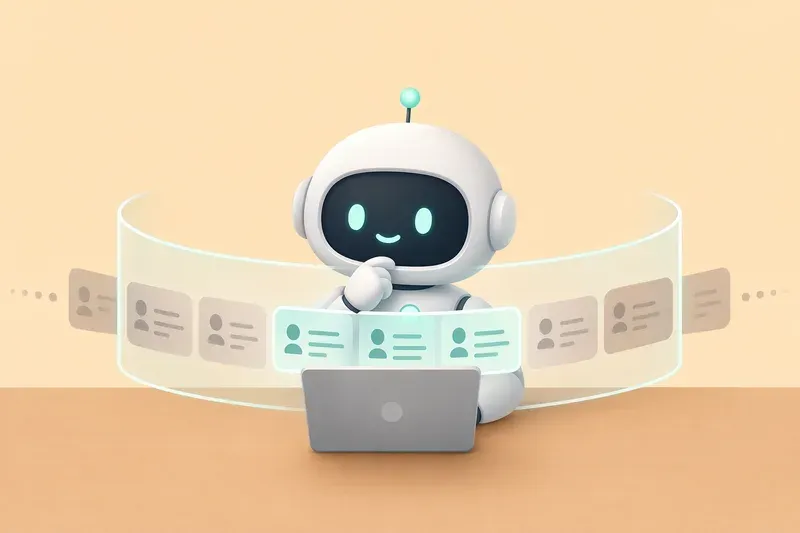
The book says you should develop while making AI understand the domain knowledge. I think of it as injecting the product plan and development intent into AI. In the end, it means the same thing.
For example, if you ask for “a reservation cancellation API,” you may get technically sound CRUD code.
But for a real reservation service, it’s a different story.
- Can you cancel on the same day?
- How do refunds differ by payment method?
- Under what conditions are used coupons restored?
- When is the canceled quantity returned to inventory?
- Can a reservation that’s already been used be canceled?
If AI doesn’t know these policies, it can’t build the right feature no matter how clean the code is.
I had a similar experience while building monix at the CMUX hackathon.
Tool calling issues kept occurring, and I asked for fixes while showing the code and errors, but it just wouldn’t get resolved the way I wanted. AI focused only on getting rid of the error in front of it, and sometimes the more it fixed, the further it drifted from the plan.
So I went back and explained the problem the product was trying to solve, the overall user flow, and why each tool needed to be called. Only then did AI start approaching it as a structural and call-flow problem rather than a simple code error.
What AI lacked wasn’t code, but information about why this code was being written.
Since then, I try to organize and hand over the following before implementation:
Before implementing, read the following and summarize the purpose of this feature first.

1. The user problem to solve
2. The core user flow
3. Business rules that must be followed
4. Boundaries with existing systems
5. What is allowed to fail and what must never fail

Don't decide ambiguous or conflicting points on your own — ask me.
AI doesn’t need to know everything about the project. But it does need to know what role the code it’s writing plays in the overall product.
I’m Lazy, So I Automate Repetitive Engineering

If you’ve read this far, a problem arises.
So do I have to write these long prompts every time?
I’m pretty lazy, so I don’t want to keep typing the same things. I tend to turn frequently used instructions into Skills and project rules.
Turn Frequent Tasks into Skills
If you type “check security, performance, concurrency, exception handling, and tests” every time you request a code review, that itself is a repetitive task.
This kind of procedure can be turned into a code review Skill.
# Backend Code Review

- First, understand the purpose and scope of the change.
- Review correctness, security, concurrency, transactions, performance, and exception handling.
- Find edge cases that existing tests don't cover.
- Separate must-fix issues from improvement suggestions.
- When pointing out a problem, provide the trigger condition and fix direction.
- Exclude unfounded praise and mere differences in taste.
With this in place, you can request reviews by the same standard whenever you need. You can also keep adding project-specific rules and evolve it into a personal or team review standard.
If a prompt is a one-off request, a Skill is closer to an engineering procedure saved so it can be run repeatedly.
Separate Project Rules from Task Procedures
In my previous post, I introduced context files such as CLAUDE.md and AGENTS.md.
Project rules contain things that must always be followed, like this:
# Project Development Rules

- Prefer the existing architecture and patterns.
- Before adding a new dependency, explain why it's needed and the alternatives.
- Don't hardcode configuration values or secrets.
- Don't log personal information or credentials.
- After changes, run the build and tests and report the results.
Skills, on the other hand, contain procedures for performing specific tasks like code review, incident analysis, or API design.
- Project rules: what must always be followed in this project
- Skills: in what order and by what standard a specific task is performed
Separating the two means you don’t have to cram every instruction into one giant file. It also makes it easier to give AI only the standards it needs, when it needs them.
Skills I Use Often
Here are a few Skills I use often or have installed.
- garrytan/gstack: A skill that can improve overall quality in production engineering.
- clean-code (my own): Added to https://github.com/ksj000625/template-for-claude-code. A skill for doing code reviews based on clean code principles.
I use a few others, but not often enough to list. If you know any good ones, please share :)
Verify AI’s Output from a Different Perspective

It’s convenient to finish design, implementation, testing, and review in one request. But when AI reviews the code it just wrote in the same conversation, it often keeps the wrong assumptions it made at the start.
For example, it assumes a mistake in the implementation is correct and writes tests to match that code. Since all the tests pass, it looks even more convincing.
So whenever possible, I try to separate the generation and verification steps.
- Have it read the requirements and ask about ambiguous parts.
- Review the implementation plan and scope of change first.
- Implement in small units and run the tests.
- Re-check the result against the original requirements.
- If possible, request a code review from a separate agent or a fresh context.
The point isn’t to use AI multiple times. It’s not treating generating code and proving that code is correct as the same task.
The same goes for test code. Don’t just look at test names and whether they pass — check which requirement each test proves.
Vibe Engineering Isn’t the Skill of Writing Long Prompts

Before reading the book, I thought “vibe engineering” just meant a slightly more systematic way of vibe coding.
The biggest takeaway after reading it was that having the standards to judge AI’s output matters more than the ability to instruct AI well.
To define requirements, you need to know what “correct” looks like. To choose an architecture, you need to understand the trade-offs of each option. To find problems in AI-generated code, you need computer science fundamentals and domain knowledge. Even if you have AI write tests, a human must decide what to verify.
AI doesn’t instantly turn a junior developer into a senior.
Instead, it lets juniors attempt a much wider range of implementations than before, and learn faster by asking AI questions and requesting reviews. In that process, what matters is building the knowledge to judge AI’s answers rather than accepting them as-is.
In this post, I focused on the parts that resonated with me most: non-functional requirements, design review, domain knowledge, and automating repetitive work.
The book also covers architecture design, logic errors and debugging, and controlling AI with tests in much more detail, with cases and example prompts, so I think it’ll be very helpful.
Wrapping Up
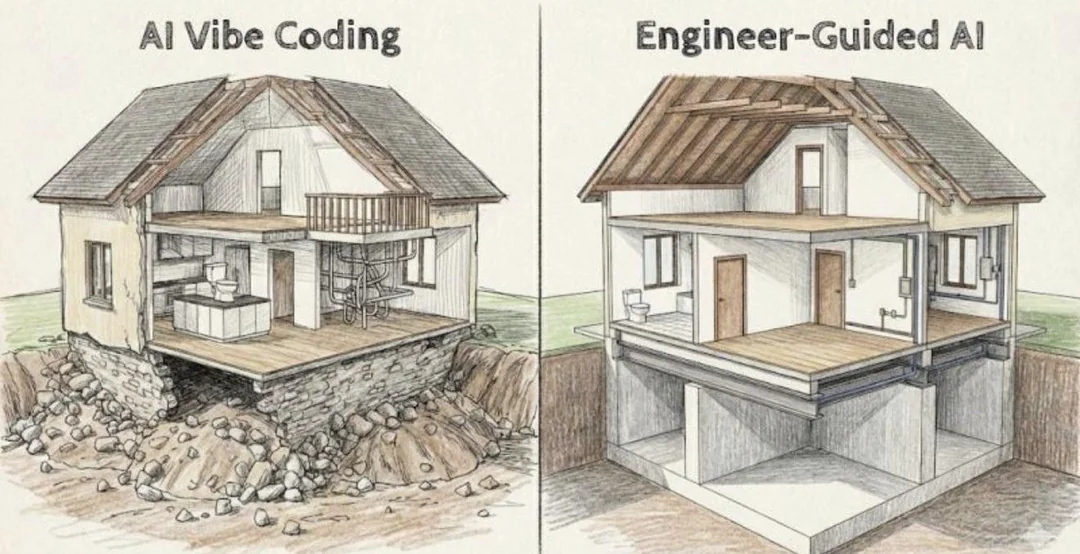
As AI writes more code, the amount of code developers write themselves may shrink.
But defining what to build, deciding how much to allow, and taking responsibility for whether the result is truly correct do not shrink.
In fact, because AI can produce so much code so quickly, the ability to catch and control a wrong direction early becomes even more important.
In the end, developers’ work isn’t disappearing in the AI era — engineering is taking up a bigger share of a developer’s work than coding.
AI can do the development. But engineering is still the human’s job.
My explanation was a bit all over the place, but the book covers it in great detail, so I hope those of you who’ve gotten a taste of AI development give it a read.
Feedback and conversation are always welcome :)